
Auto-Renewal and Maturity Alerts: Small FD Mobile App Features That Save Time
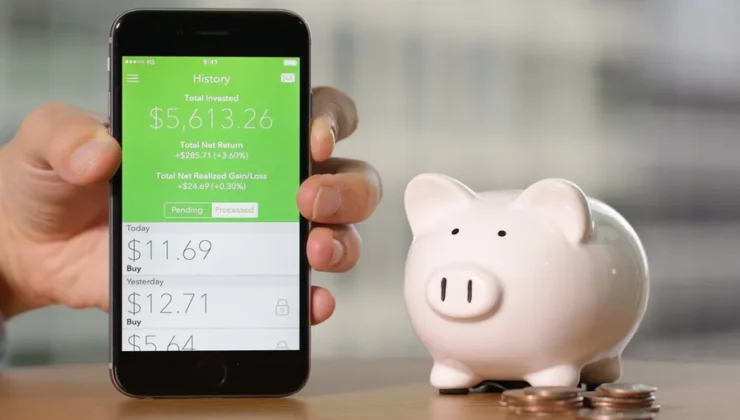
Managing fixed deposits involves more than choosing an amount and waiting for it to earn interest. Depositors also need to keep track of maturity dates, renewal decisions, and changes in their financial requirements. Using a mobile app to manage your FDs can simplify this process. Many apps offer auto-renewal and notifications to alert you when they are due to mature. This means you won’t have to manually check what details your deposits have.
Understanding Auto-Renewal in Fixed Deposits
An auto-renewal can be set up to allow your fixed deposit to be renewed automatically upon reaching its maturity date.
If you open a fixed deposit for 1 year but wish to renew it, you can ask it to be renewed after the initial term has finished. This can be set so that only the original amount (principal) is invested again or including any applicable interest.
This can be beneficial if you want to continue your deposits and avoid having to go through the renewal process every time. But before the fixed deposit matures, you should check the auto-renewal settings have not changed, as the interest rate and deposit terms may now be different.
An FD saving app may allow depositors to check their renewal preferences and review the instructions linked to their deposits. The availability of these options depends on the bank and its digital banking facilities.
How Maturity Alerts Help Depositors
A fixed deposit has a specific maturity date when the deposit period ends and the amount becomes payable according to its terms. Keeping track of this date is important, particularly for people who hold multiple deposits.
Maturity alerts send reminders before or around the deposit maturity date. These notifications give depositors time to review their options instead of planning at the last moment.
Some of the ways these alerts can help include:
- Reminders: Reminders can remind you about a deposit which is due to be paid out.
- Decision Time: It gives depositors time to think if they want to reinvest.
- Planning Ahead: Gives individuals advance notice so they can plan for any costs coming up which may need them to have access to that deposit.
- Easier to Track: Notifications can help you keep track of multiple deposits with different maturity dates.
How These Features Save Time
You may have to keep track of your own records or regularly refer to your bank statements. If you have made multiple deposits with different terms and maturity dates it can become complicated.
By having an FD mobile app, you can easily see all the relevant information about your deposit. You can view maturity details, renewal instructions, and receive notifications.
Auto renew means you won’t have to put in the same instructions for deposits that you want to maintain. You can simply view your pre-selected options and update them if required.
Things to Check Before Enabling Auto-Renewal
Auto-renewal can save time, but it should not be enabled without understanding its conditions.
- Renewal Instructions: Check whether the bank will renew only the principal or the principal and interest. The selected option can affect the amount invested again.
- Applicable Interest Rate: Renewal may happen at the rate available on the new booking date rather than the rate applicable to the original deposit.
- Deposit Tenure: Review the renewal period and confirm that it matches the intended savings plan.
- Premature Withdrawal Rules: Check the applicable conditions if the renewed deposit needs to be withdrawn before maturity.
- Notification Settings: Keep the registered mobile number and email address updated to receive important reminders.
You may be able to access this information through an FD saving app, however, you should always check the final details in your bank’s deposit agreement.
Choosing an FD App with Useful Features
When comparing digital banking options, depositors should look beyond the process of opening a fixed deposit. The features available for managing an existing deposit also matter.
A reliable FD mobile app provides you with easy access to your balance, interest rates, maturity dates, and instructions on renewing. You will also be able to easily review your transaction history and get help from customer service.
Security is very important. Ensure that you are using an official bank application, keep your login details secure, and do not share any passwords or one-time passwords.
Conclusion
Fixed deposits come with auto-renewal and maturity alerts to provide an easy way to manage your deposits. Before leaving your deposit to renew, be sure to check the auto-renewal instructions, interest rates and maturity requirements. A saving app for FDs can help you keep track of the details. Jio Finance can help you access digital financial services to help you understand and manage your financial needs.