
Common Mistakes to Avoid When Buying an Under £500 Gaming PC for Budget-Friendly Performance
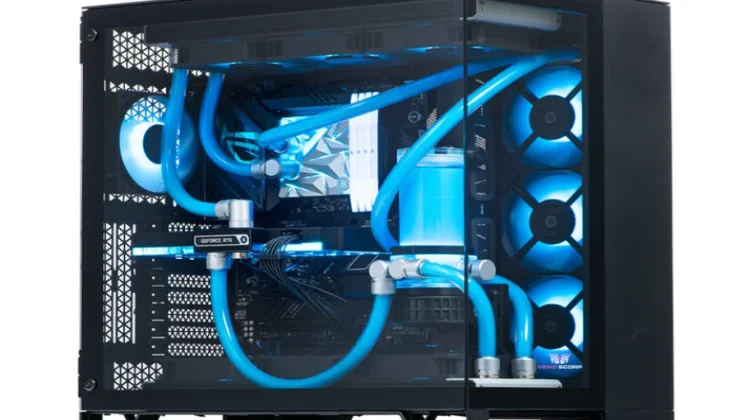
It can be hard to find a good under £500 gaming PC. It’s like looking for treasure in a minefield. After one mistake, your hard-earned money is gone, and your favourite games can’t be played on it. But here is the good news: Many trusted gaming PC sellers have finally figured out how to make game performance affordable without having to make any sacrifices. Let’s look at the most common mistakes you should never make when buying a new gaming PC.
Overlooking the Graphics Card Quality
This is a fatal mistake that many people make when they buy a budget gaming PC. They only pay attention to the processor and don’t pay any attention to the GPU at all.
How well games run depends on your graphics card. Every image you see on the screen is made by it. Even the fastest processor is useless for games without a good GPU.
If you’re really into games, you should never settle for integrated graphics. Keep an eye out for specialised graphics cards such as
- NVIDIA GTX 1650 or better
- AMD Radeon RX 6500 XT or higher
- Minimum 4GB VRAM for modern titles
- Check benchmark scores before purchasing
A lot of the time, old graphics cards that can’t handle simple games come with cheap computers. This deal helps companies save money, but it makes playing games less fun for you. The money you spend on a GPU has a direct effect on every game you play.
Graphics that are specialised or built in are very different from each other. The system’s RAM and processing power are shared by the graphics card. Dedicated cards have their own memory and processors designed specifically for rendering games.
Ignoring RAM Specifications
Eight gigabytes of RAM is the very least you need for games these days. Anything less than that leads to bottlenecks that ruin performance.
Games today need more memory than ever before. Windows takes up to 2 to 3 GB of space before you even start a game. A budget gaming PC should have at least 8GB of RAM, and 16GB is better.
Check the RAM speed too. DDR4 running at 3200MHz works a lot better than slower options. This specification often gets overlooked, but it makes a noticeable difference in frame rates.
Configuring memory with two channels is very important. One 16GB stick doesn’t work as well as two 8GB sticks. This setup doubles your memory bandwidth, which makes your machine faster overall.
| Component | Minimum Spec | Recommended Spec |
| RAM Capacity | 8GB | 16GB |
| RAM Speed | 2666MHz | 3200MHz+ |
| Graphics Card | GTX 1650 | GTX 1660 or better |
| Storage | 256GB SSD | 512GB SSD |
| Power Supply | 400W Bronze | 500W Bronze+ |
Choosing HDD Over SSD Storage
Some hard disk drives may have more room for less money. But they do terrible things to your game experience.
Games load three to five times faster on SSDs than on HDDs. They cut down on waiting screens, make the system faster, and stop annoying lag spikes while playing games.
Never compromise on storage speed. When it comes to games, a 256GB SSD works better than a 1TB HDD. You can always add extra storage for papers and media files later.
SSD speeds are very helpful for modern games like Call of Duty and Cyberpunk 2077. You’ll get to play more and spend less time looking at loading screens.
Falling for Misleading Specifications
When stores promote processors, they sometimes use words that are hard to understand. When you find out that your “8-core processor” is actually old technology from 2012, it sounds pretty cool.
Always check the type and generation of the processor. An Intel Core i3 from 2024 works better than a 2015 model. The generation matters more than the name itself.
Before you agree, make sure you know these important facts:
- Model number of the exact processor
- Year and generation of production
- Base and boost clock speeds
- Benchmark scores from reliable sources
- Real-world gaming performance reviews
Don’t trust marketing fluff. Read reviews of technology products written by people you trust. They put systems through a lot of tests and show the real success numbers.
Neglecting Power Supply Quality
When you buy a under £500 gaming PC you should pay close attention to the power supply unit. Bad things happen when cheap PSUs fail, which could damage every component.
At the very least, look for 80 Plus Bronze approval. This standard makes sure that things work well and are reliable. Power that is stable and clean is important for your whole system.
Budget systems often skimp here to reduce costs. But a bad PSU can damage your CPU, graphics card, and storage drives all at the same time. It costs less to replace a cheap PSU than to buy a whole new machine.
Power sources that are made well also run cooler and quieter. They protect against short circuits, power spikes, and surges. This safeguard will keep your cash safe for the long term.
Skipping Upgrade Path Considerations
Over time, your needs will change. It gets harder to play games. To keep things running smoothly, new games need better hardware.
Buy a machine that can be upgraded right away. Check to see if the computer can handle processors that are faster. Make sure there are RAM expansion slots for future improvements. Make sure the case can fit graphics cards that are bigger.
When you buy a budget gaming PC, it shouldn’t lock you into a configuration that doesn’t work. A smart buyer doesn’t just think about what they need now, but also three years from now.
Consider these upgrade-friendly features:
- ATX processors instead of custom designs
- Standard PSU form factors
- Tool-free case designs
- Multiple drive bays for expansion
Buying Without Warranty Protection
Electronics break down. Parts don’t work right. Manufacturing flaws show up months after the product was bought, without warning.
Don’t buy a game PC unless it comes with a good warranty. Buyers you can trust will offer at least 12 months of safety. You won’t have to pay a lot of money for repairs down the road because of this security.
Carefully read the guarantee terms before you buy. Know what to expect and what isn’t covered. Certain warranties don’t cover damage that happens by chance, while others cover all failures.
Also, ask about how to return things. If you need to return something, you have thirty days to do so. You can try the system carefully and send it back if it doesn’t work well.
Forgetting About Cooling Systems
When there is enough cooling, thermal slowdown doesn’t happen, which slows things down. Some budget gaming PCs have simple cooling systems that can’t handle long gaming sessions.
Make sure that the system has enough airflow in the case. A lot of fans make positive pressure, which keeps parts cool. This keeps the computer from getting too hot during long game sessions.
Good cooling greatly increases the life of parts. Processors and graphics cards last longer when the temperature is lower. Also, cool systems are quieter and work better.
Ready to Make the Right Choice?
If you don’t make these mistakes, your under £500 gaming PC will work well for years to come. Many trusted gaming PC sellers know about these problems and offer solutions that avoid all of the above problems.
Don’t take chances with the money you spend on games. Visit their gaming PC collection right now to see how choosing the right parts can change your cheap gaming experience. Their carefully set up systems come with good graphics cards, fast SSDs, enough RAM, dependable power supplies, and the right amount of cooling.