
Understanding the content://cz.mobilesoft.appblock.fileprovider/cache/blank.html URI in AppBlock
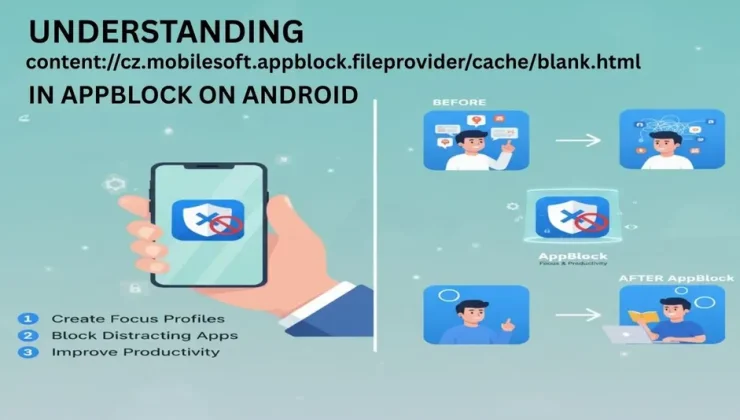
The URI content://cz.mobilesoft.appblock.fileprovider/cache/blank.html is a content provider URI used by the AppBlock application on Android devices. This URI is one of the internal mechanisms which AppBlock applies to block distracting sites and apps, to enable users to remain focused. We will deconstruct it and look at what it is, how it functions, and why you may have to deal with it.
What is AppBlock?
As an Android app, AppBlock is aimed at assisting users to remain productive by blocking distracting apps and web pages. This is especially handy when individuals have to remain focused at work, during a study or any other period when they do not want to be distracted. The application operates by establishing schedules and blockage to specific apps or websites and will not allow you to access these websites or applications when the block is in effect.
AppBlock employs internal processes like blank.html file that makes sure that when a user attempts to view blocked material, he/she will view something neutral rather than the originally blocked material. This assist in ensuring that user experience is smooth and there are no errors and disturbances.
What Does the URI content://cz.mobilesoft.appblock.fileprovider/cache/blank.html Represent?
This URI is a pointer to a file stored within AppBlock’s cache directory. Here’s how the URI is structured:
- content://: This part indicates that the URI is a content provider URI, a type of URI used in Android to access data securely across apps.
- cz.mobilesoft.appblock.fileprovider: This part identifies the content provider’s authority, pointing to AppBlock’s internal file provider.
- /cache/blank.html: This part refers to the specific file being accessed, which is a blank HTML file located in the cache directory.
Essentially, the URI is pointing to a local file (blank.html) that AppBlock uses as a placeholder when it blocks access to certain websites or content. Instead of showing an error message or letting the user access the blocked content, the app serves up this blank file, which displays a neutral, empty page.
Why Does AppBlock Use the blank.html File?
The blank.html file is a standard which is used when the AppBlock blocks content. AppBlock redirects a request to this file when it is attempted by a user using a restricted app or web site. This helps avoid the real content that could be distracting or counterproductive to the concentration of the user.
The user experience is also improved with blank HTML file. The user does not see an error page, and instead, the user can see a blank screen, which is not as distracting and lets the app continue its course without any issue. It is also a means of controlling blocked information without bringing disruption to the application.
How Does the Content Provider Mechanism Work?
Android supports the management of data access and sharing securely and in a controlled manner using content providers. A special kind of content provider is the FileProvider class which is used to share files between applications. It enables one application to share files safely with another application but it does not reveal the file paths on which the files are stored thereby avoiding cases of insecurity.
By setting the blank.html file as the target of the entry in AppBlock, which makes the FileProvider use the file as a point of reference, one can make sure that the file is be accessed through a content URI as opposed to a direct file path. This provides an extra level of protection and abstraction, and other applications or users have a more difficult time accessing and manipulating the internal files of AppBlock directly.
What Happens When You Encounter This URI?
If you see the URI content://cz.mobilesoft.appblock.fileprovider/cache/blank.html in an error message, a log, or as part of an Android app’s behavior, it generally means that AppBlock has blocked a piece of content and is serving the blank HTML file instead. You might encounter this URI in the following scenarios:
- Blocked Websites: When you try to visit a website that AppBlock has restricted, the app may redirect the request to the blank.html file.
- WebView Use: If an app or a browser is displaying content in a WebView (a type of browser embedded in an app), and the content is blocked, AppBlock may intercept the request and load the blank.html file.
- Internal Logs or Debugging: If you’re a developer or checking internal logs, you might come across this URI when inspecting the behavior of AppBlock or other apps that interact with it.
In all these cases, the appearance of the URI means that AppBlock is functioning as intended, showing a blank page instead of blocked content.
Is This Behavior Safe or Harmful?
The action of the blank.html file and its content URI is all benign. It is one of the special characteristics of the AppBlock application that is supposed to keep the users focused. The file is not malicious, it is just a blank html page that is utilized to block content. When you look at this URI, you do not have to concern yourself with any security or performance problems.
Nevertheless, in case of blank pages or other misbehaviors, it may be a result of some misconfigurations in the AppBlock, e.g. blocking the content, which you wanted not to block. In that situation, going to the settings of the app and clearing the cache can be a way out of the problem.
How to Fix Issues Related to the Blank Page
In case you are seeing the empty screen when you do not want to, or when the app is not functioning in the correct manner, you can do the following:
Clear AppBlock: Cache Sometimes the cache may become corrupted or stale. You can clear AppBlock cache by accessing Settings – Apps – AppBlock – storage – clear cache. This will delete the already stored blank.html file and allow the application to make a new one.
Blocked Content Review: See what is on the blocked list of websites or apps in AppBlock. In case something that you consider to be important is blocked, you can change the settings to permit it.
Reinstall AppBlock: When clearing the cache does not help, re-uninstalling and installing the app might help. This can aid in the repair of any problems that are brought about by corrupt settings or data.
Check for Conflicting Apps: In case other apps (VPNs or other productivity apps) are conflicting with AppBlock, turn them off or change their settings to see whether it solves the problem.
Conclusion
In summary, the URI content://cz.mobilesoft.appblock.fileprovider/cache/blank.html is simply a content provider URI used by the AppBlock app to redirect users to a blank HTML page when they attempt to access blocked content. It is a non-dangerous and typical attribute that assists people to remain on point by avoiding distraction. You do not have to be worried about it and in case this is the issue just clear the cache or look at the settings of AppBlock and everything will be fine.
AppBlock, through the FileProvider class and the help of a content provider, will make sure that its internal files are managed safely to save user information and avoid illegal access. You should see this URI in your log or on your machine, but it is simply a component of the software to make you focused and productive.